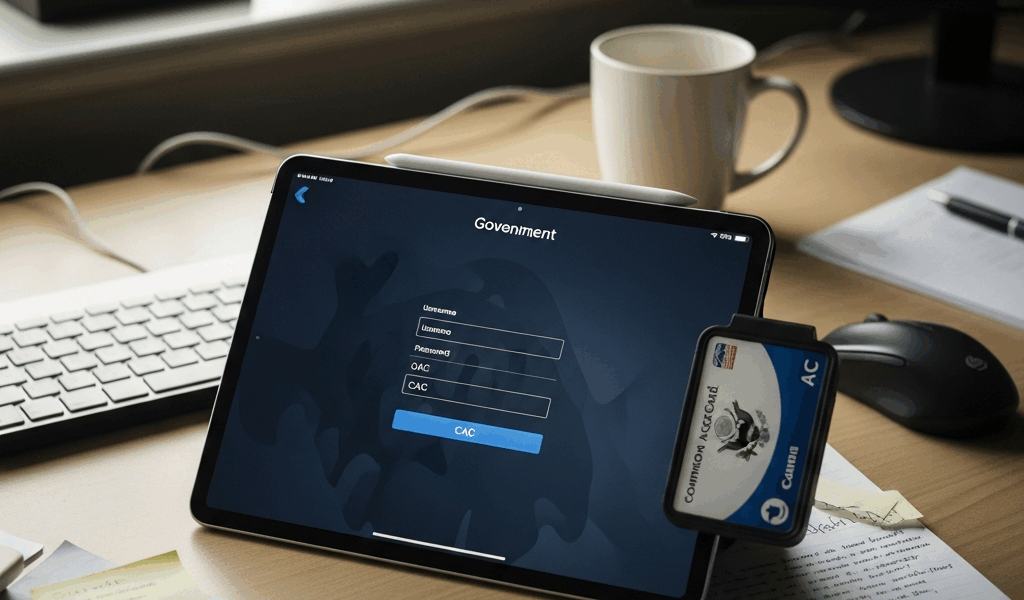
You bought a CAC reader for your iPad hoping to access DoD email or government sites on the go. The packaging says “iOS compatible.” The reality is more complicated than that. CAC on iPad works, but only with specific hardware, specific apps, and specific expectations about what will and will not function.
Hardware That Works: Lightning vs USB-C
Newer iPads with USB-C ports (iPad Pro, iPad Air, 10th gen iPad) can use standard USB smart card readers directly or through a simple USB-C adapter. The Identiv SCR3500 and Tactic ID readers both work with USB-C iPads. Older Lightning iPads require a Lightning-to-USB adapter (the Apple Camera Connection Kit) plus the USB smart card reader — a daisy chain that works but is clunky.
Bluetooth CAC readers exist (the Thursby/Tactic BT series) and eliminate the cable situation entirely. They pair with the iPad over Bluetooth and present the CAC certificates to compatible apps. The convenience is real but the battery management adds another variable — a dead Bluetooth reader at a critical moment is exactly as frustrating as it sounds.
The App Situation: What Actually Reads Your CAC
iOS does not natively support smart card authentication the way macOS does. You need a third-party app that includes its own smart card middleware. The two main options:
Thursby PKard Pro: The most widely used CAC app for iOS in the DoD community. It includes a built-in browser that handles CAC authentication to DoD websites, OWA email access, and certificate-based logins. The app costs around $50 and handles the certificate chain internally — no separate certificate installation required. It is the closest thing to a plug-and-play CAC solution on iPad.
Tactic ID Reader + App: Bundled with Tactic hardware. Similar functionality to PKard — built-in browser with CAC support. Works well with Tactic’s own readers but compatibility with third-party readers is limited.
Safari on iPad does not support CAC authentication — Apple has not extended the macOS smart card framework to iOS Safari. Do not expect to insert a CAC reader and have Safari prompt for your certificate. All CAC access on iPad goes through the third-party app’s built-in browser.
What Works and What Does Not
Works: Accessing OWA (Outlook Web Access) for DoD email through PKard or similar apps. Logging into most .mil websites that accept CAC. Viewing CAC-authenticated SharePoint sites. Signing PDFs with your CAC digital signature through compatible apps.
Does not work: Native Safari CAC authentication. The Outlook native iOS app with CAC (you need OWA through the PKard browser instead). Some DoD sites with specific ActiveX or Java requirements — these are legacy sites that barely work on any platform, not an iPad limitation specifically. VPN connections requiring CAC are hit-or-miss depending on your agency’s VPN client.
The Practical Verdict for 2026
CAC on iPad works well enough for checking email, accessing common .mil sites, and basic DoD web tasks when you are away from your desk. It does not replace a laptop for full CAC-dependent workflows. Buy the reader, buy PKard, and set your expectations accordingly. For field work, travel, or TDY situations where carrying a laptop is impractical, iPad with CAC is a legitimate productivity tool. For daily DoD work at your desk, use your computer.



Stay in the loop
Get the latest apple mac in government updates delivered to your inbox.