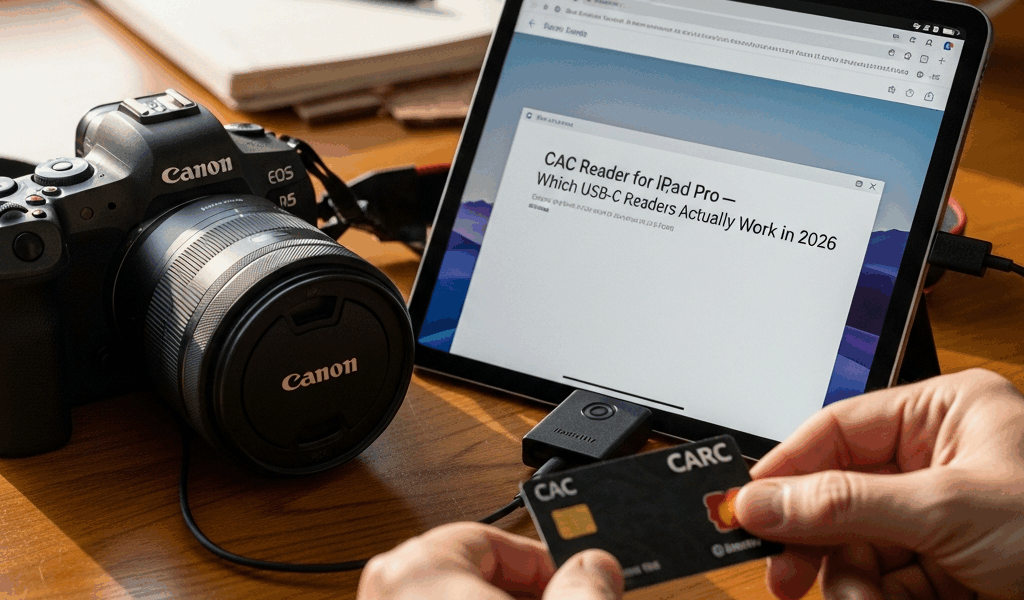
CAC Reader for iPad Pro — Which USB-C Readers Actually Work in 2026
CAC readers for iPad Pro have gotten complicated with all the bad firmware, silent iPadOS breakage, and flat-out wrong hardware flying around. As someone who’s spent four years as a government contractor splitting time between a MacBook Pro and an iPad Pro, I learned everything there is to know about this specific nightmare. The hours I’ve burned on it are genuinely embarrassing. Bad USB-C profiles, updates that quietly killed working setups, standing in a government building parking lot at 7:45 a.m. trying to read email before a meeting — that was me. This article is the resource I needed back then.
Here’s what we’re covering: USB-C iPad models, specific reader hardware tested against government networks through 2025 and into early 2026, and the exact iPadOS steps you need. There’s a section for Lightning iPads too — but honestly, upgrade if you can.
Which iPad Models Support CAC Readers in 2026
USB-C is the requirement. Full stop. The iPad Pro made the switch back in 2018, but — and this matters — not every USB-C iPad runs the same USB spec underneath. That gap causes real compatibility problems.
Here’s where things stand in 2026:
- iPad Pro (all USB-C models, 2018 and later) — These work. The M4 iPad Pro from 2024 carries Thunderbolt on the larger configuration, but from a CAC reader standpoint, any USB-C iPad Pro from 2018 forward handles the smart card profile correctly.
- iPad Air M1 and later — The M1 Air from 2022 was the first Air with a USB-C port worth taking seriously for this. The M2 Air from 2024 is solid. Both confirmed working.
- iPad mini 6 and mini 7 — USB-C, confirmed working. A reader hanging off a mini looks a little absurd, honestly, but it functions.
- iPad (10th generation and later) — The base iPad finally got USB-C in late 2022. Both the 10th and 11th gen work fine.
Lightning iPads — 9th generation or older, most older Airs, minis before the 6th generation — technically work with a Lightning-to-USB-A adapter plus a USB-A reader, or a Lightning-to-USB-C adapter. Don’t make my mistake. I tried this with a 9th gen iPad for six weeks. The adapter stack is fragile, authentication timeouts are frequent, and it will quietly ruin your morning. Dead end for daily use.
Minimum iPadOS version for reliable smart card support in 2026 is iPadOS 16 — realistically, run 17 or 18. Apple made meaningful smart card framework improvements starting in 16.4 that fixed a certificate chain validation issue specifically affecting DoD intermediate certificates. On iPadOS 15, your reader connects, the card gets recognized, but certificate lookups fail intermittently against certain agency portals. Run a current OS.
The Best USB-C CAC Readers Tested
Probably should have opened with this section, honestly. It’s what most people are here for.
Twocanoes USB-C Smart Card Reader
But what is the Twocanoes reader? In essence, it’s a $49 USB-C smart card reader built specifically around the CCID class driver iPadOS loads natively. But it’s much more than that — it’s the only USB-C reader I’ve tested that has never failed to enumerate correctly after an iPadOS update. The current model as of early 2026 is the SCR-C1. No companion app required, no configuration profile from the manufacturer. Plug it in, insert your CAC, and iPadOS sees it immediately.
Twocanoes does publish a free companion app called Smart Card — worth having. It provides a certificate viewer that lets you diagnose issues without needing a laptop nearby. The app costs nothing. The hardware is where the $49 goes, and it’s worth it.
Identiv SCR3500A
The Identiv SCR3500A is USB-A, which means you need an adapter. That’s what makes it slightly awkward for iPad users — but it’s still worth knowing about. It’s common in government buildings, it’s on the DoD approved products list, and if one is already sitting on your desk, a $9 Anker USB-A-to-USB-C adapter gets you working. The specific model that matters: the Anker 591. Cheap knock-off adapters interrupt power delivery and drop the reader mid-session. I’ve run the Anker 591 for eight months without a problem.
Generic CCID Readers — The Warning
Dozens of USB-C smart card readers exist on Amazon — $12 to $30, various brands, questionable firmware. Some work. Many don’t. The failure mode is consistent: the reader shows up as a USB device, but iPadOS never enumerates the card. This happens with partial CCID implementations — readers built for Windows with proprietary drivers that iPadOS simply can’t use.
Burned by a $14 reader I won’t name here, I learned to check one specific thing before buying: the listing needs to explicitly say CCID-compliant and should mention macOS or Linux compatibility. Both platforms use driver-free CCID — same as iPadOS. Windows-only mention is a red flag. Walk away.
The Cherry SmartTerminal ST-1275 might be the best budget option, as this category requires confirmed CCID compliance above everything else. That is because iPadOS has no fallback driver path — either the reader is natively compliant or it simply doesn’t work. The Cherry runs around $35, confirms compliance, has been tested working on iPadOS 17 and 18, and is available through CDW and government purchasing portals. That last part matters if you’re getting equipment approved through a contracting office.
Step-by-Step Setup on iPadOS
The hardware is the easy part once you have the right reader. Configuration is where most people lose an hour they didn’t have.
Install DoD Root Certificates
Non-negotiable. Without the DoD root certificate chain on your iPad, Safari refuses connections to .mil sites and most agency portals — even if your CAC is recognized perfectly.
- Open Safari on your iPad and navigate to militarycac.com — maintained by Michael Danberry, reliably updated, the right source for DoD certificate bundles. Find the iOS/iPadOS certificate installation section.
- Download the certificate package. iPadOS will prompt you to review the profile in Settings.
- Go to Settings → General → VPN & Device Management and tap the downloaded profile to install it.
- After installation — and this is the step people miss — go to Settings → General → About → Certificate Trust Settings and enable full trust for the DoD root certificates. Installing the profile isn’t enough. You have to explicitly enable root trust or Safari ignores it.
Configure Safari
First, you should know that Safari on iPadOS 17 and 18 handles smart card authentication natively — at least if your certificates are trusted correctly. No extra configuration required in most cases. If a site prompts for a certificate and nothing appears in the selection dialog, the card isn’t being read. Check the reader connection before blaming software.
One setting worth knowing about: Settings → Safari → Advanced → Experimental Features. On certain agency sites running older TLS configurations, disabling JavaScript JIT has resolved blank-page authentication failures. Not common. But it exists, and it’s saved me twice.
Test with OWA
Outlook Web Access is the right first test. Navigate to your agency OWA URL, wait for the certificate selection dialog, choose your authentication certificate — not the email encryption certificate, there are usually two listed — enter your PIN. If that sequence completes, you’re configured correctly. That’s what makes OWA such a reliable benchmark for us government users.
Common Failures and Fixes
Reader Not Recognized After iPadOS Update
Most common issue, most frustrating one. No reliable explanation for why it happens with certain readers after certain updates — it just does. The fix sequence: unplug the reader, full reboot the iPad, plug the reader back in, insert the card. That resolves it most of the time. If it doesn’t, open the Twocanoes Smart Card app and check whether the reader appears there. Reader visible but no card — dirty contacts on the CAC. Reader not visible at all — try a different USB-C cable. Some readers ship with cables that have marginal data line quality. Apparently this is acceptable in manufacturing. It is not acceptable when you have a 6 a.m. report due.
Certificate Not Found
Card recognized, no certificate in Safari’s dialog — root certificate trust is almost certainly the cause. Go back through the Certificate Trust Settings step above. If trust is already enabled, use the Twocanoes app to check your CAC’s certificate expiration date. Expired certificates catch people completely off guard during reissuance cycles. It’s happened to me twice.
Wrong Reader Type
Contact smart card readers and proximity RFID badge readers are different hardware. CACs require contact — the card goes into a slot. If you bought a reader with only an RFID antenna pad and no card slot, it will not work with a CAC. Under any circumstances. No firmware update fixes this.
What You Can Actually Do on iPad with CAC
iPad with a working CAC setup handles more than most people expect — and less than a laptop. Knowing the line upfront saves real frustration.
What Works
- OWA email — Works well. Safari handles CAC authentication to most agency OWA deployments cleanly. Reading, composing, S/MIME signed email — all functional.
- Defense Travel System (DTS) — Confirmed working for travel authorization and voucher submission as of early 2026. Slow on mobile Safari, but it gets the job done.
- Many SharePoint Online sites — Deployments that moved to Azure AD-based authentication with CAC as a second factor work fine. Older on-premise SharePoint with Kerberos is hit or miss — emphasis on miss.
- ADVANA and some analytics portals — Works for read access.
- Some NIPR web applications — Standard HTTPS applications on NIPRNet using certificate authentication load correctly.
What Still Requires a Laptop
- Outlook desktop S/MIME decryption — The iOS Outlook app doesn’t support CAC-based S/MIME decryption as of 2026. OWA works, unencrypted email works, but decrypting messages in the native app requires Windows or Mac.
- SIPR access — Classified network access requires government-issued hardware. A CAC reader on an iPad doesn’t change that equation at all.
- VPN clients requiring smart card auth at the client level — Some agency VPN configurations require smart card authentication at the handshake, not the web layer. iPadOS VPN profiles don’t support this currently.
- Java-dependent applications — Any web app relying on a Java applet for CAC authentication won’t work on iPad. Full stop. These are getting rarer, but they still exist in legacy environments.
The iPad Pro with a USB-C CAC reader is a legitimate government productivity tool in 2026 — not a workaround, not a novelty. The Twocanoes SCR-C1 or the Cherry ST-1275, running on iPadOS 17 or 18 with a correctly configured DoD certificate trust chain, covers the majority of daily tasks for most government workers and contractors. Save the laptop for S/MIME decryption and the edge cases. Everything else runs fine on the iPad.



Stay in the loop
Get the latest apple mac in government updates delivered to your inbox.