Why Firefox Handles CAC Differently Than Safari or Chrome
Getting a DoD CAC card working on Mac has gotten complicated with all the conflicting guides flying around — most of them written for Windows, or for Safari, or for some version of macOS that no longer exists. I spent three hours troubleshooting a CAC card not working in Firefox before realizing my card reader was fine. My card was fine. The problem was something else entirely.
Firefox uses its own internal certificate store. Safari and Chrome pull credentials straight from the macOS Keychain — so if your CAC works in Safari, that’s why. Firefox doesn’t care what the operating system already knows about your security devices. It’s completely separate, operating in its own little world, which means every fix aimed at Keychain Access is solving the wrong problem for Firefox users.
That’s what makes Firefox endearing to security-conscious users — and absolutely maddening when you’re trying to get a CAC working on a deadline. So, without further ado, let’s dive in.
What You Need Before You Start
Probably should have opened with this section, honestly. A lot of people skip straight to the Firefox settings and then wonder why nothing works.
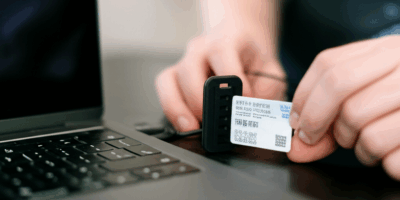
First: your card reader needs to be physically recognized by macOS. Open System Information, click USB in the left sidebar, and look for your reader in the device list. I’m apparently a Gemalto IDBridge person — it’s the CT30, runs about $35 — and it works for me while a no-name USB reader I tried before never showed up consistently. Don’t make my mistake. Verify the reader appears before touching anything else.
Second, you need middleware. OpenSC is the layer that lets macOS actually talk to the card reader. While you won’t need to compile anything from source, you will need a handful of things in place: the right OpenSC version for your OS and a working terminal. If you’re on macOS Ventura or later, you need OpenSC 0.23 or higher — earlier versions simply won’t function on Ventura. Grab it from the official OpenSC GitHub repository, or use whatever branded installer your branch IT office distributed. Install it, then restart your Mac. Not just Firefox. The whole machine.
Third: Firefox version 100 or later. You’re almost certainly past that, but check anyway. Click the three-line menu button in the top right, then Help, then About Firefox. Update if needed and restart before continuing.
Once those are in place, open Terminal and run: sc-hsm-tool --list-keys. If your card shows up with key information, you’re ready to move forward. If it returns an error, the middleware isn’t seeing your card yet — stop here and sort that out first. Everything else depends on this step working.
Add Your CAC as a Security Device in Firefox
But what is the Security Devices menu? In essence, it’s where Firefox manages its own PKCS#11 modules — the security layer that handles hardware tokens like your CAC. But it’s much more than that. It’s basically the entire reason Firefox can authenticate with your card at all, and it’s buried deep enough that most people never find it on their own.
Open Firefox. Click the menu button — top right, three horizontal lines. Select Settings. On the left sidebar, click Privacy & Security. Scroll down toward the bottom until you hit the Certificates section. There’s a button labeled “Security Devices.” Click it.
A dialog box opens. Click “Load” at the bottom. A file browser appears. Here’s where you need the OpenSC PKCS#11 module path. The default on macOS is:
/usr/local/lib/opensc-pkcs11.so
If you installed OpenSC via Homebrew, check here instead:
/opt/homebrew/lib/opensc-pkcs11.so
Not sure which applies to you? Open Terminal and run: find /usr/local -name "opensc-pkcs11.so" 2>/dev/null. That’ll locate the exact file sitting on your system right now.
Navigate to the file in the browser, then Firefox will ask you to name the device. Call it “OpenSC” or “CAC Reader” — the name is cosmetic, it doesn’t affect anything. Click OK. If the module loads successfully, your device appears in the list with a green status indicator. That’s the good outcome.
If Firefox throws a “could not load PKCS#11 module” error, the path was wrong or the middleware installation didn’t complete cleanly. Verify the path first. If the path is correct and it’s still failing, do a full OpenSC reinstall — uninstall, restart, reinstall, restart again — then retry. Once the module loads, close the dialog and restart Firefox. Your CAC should now be recognized on DoD websites.
Still Not Working — Common Error Scenarios
The Module Loads But No Certificates Appear
The OpenSC module loaded fine, the green status is there, but Firefox shows no certificates when you hit a DoD site. Remove your card completely. Reinsert it firmly — you’d be surprised how often a slightly loose connection causes this. Wait five full seconds, then try the site again.
If that doesn’t fix it, open Terminal and run: pkcs11-tool --module /usr/local/lib/opensc-pkcs11.so --list-objects. This tells you whether the middleware can actually read your card’s contents. If the command returns nothing at all, the card isn’t fully initialized or the reader connection is unreliable. A different USB port sometimes solves this — not a hub, a direct port on the machine itself.
Certificate Appears But Login Fails With SEC_ERROR_BAD_SIGNATURE
Firefox found your certificate, asked for your PIN, you entered it — and the server rejected the signature anyway. This usually points to an outdated OpenSC version conflicting with the DoD server’s requirements. Update OpenSC first. Homebrew users can run: brew upgrade opensc. Restart Firefox after the upgrade, not just reload the page. That was the fix in every case I’ve seen this error.
Firefox Asks for Your PIN Repeatedly
You enter the PIN, Firefox accepts it, then asks again thirty seconds later. Authentication loop. Go back to Settings > Privacy & Security > Certificates > Security Devices, select your OpenSC device, and click Unload. Restart Firefox completely. Then reload the device using the same path as before. This resets the session state. If the loop keeps happening after that, your CAC PIN may be expired or the card may be locked — that’s a call to your IT security office, not a Firefox problem.
Module Shows but Firefox Crashes When You Click Unload
Known bug. Affects certain Firefox builds and it’s more common than it should be. Don’t click Unload unless you genuinely need to — just leave the module loaded between sessions. If you’ve already hit the crash, update Firefox to the absolute latest build. Menu > Help > About Firefox, let it pull the newest version, restart. That resolves the crash in almost every case. If you’re already on the latest build and it still crashes, file a bug report and just avoid that button.
Verify It Is Working and Keep It Working
As someone who spent an embarrassing amount of time fighting this setup, I learned everything there is to know about keeping it stable after you finally get it working. Today, I will share it all with you — which mostly amounts to: test it properly and watch for Firefox updates.
For the test, visit milConnect or your branch webmail — somewhere with real DoD certificate authentication, not just a CAC-branded login page. When you land on the site, Firefox should pop up a certificate selection dialog. Your CAC appears listed by serial number or common name. Select it, enter your PIN, and you’re in. No errors. That’s the working state.
Firefox updates can occasionally wipe your security device settings. This new configuration took effort to set up and eventually needs maintenance as browsers evolve — that’s just reality. If your CAC stops working after a Firefox update, head straight to Privacy & Security > Certificates > Security Devices and check whether the OpenSC module is still listed. Most of the time it survives the update intact. If it’s gone, reload it with the same file path you used before. Two minutes to fix.
Your DoD CAC now works in Firefox on Mac.



Stay in the loop
Get the latest apple mac in government updates delivered to your inbox.